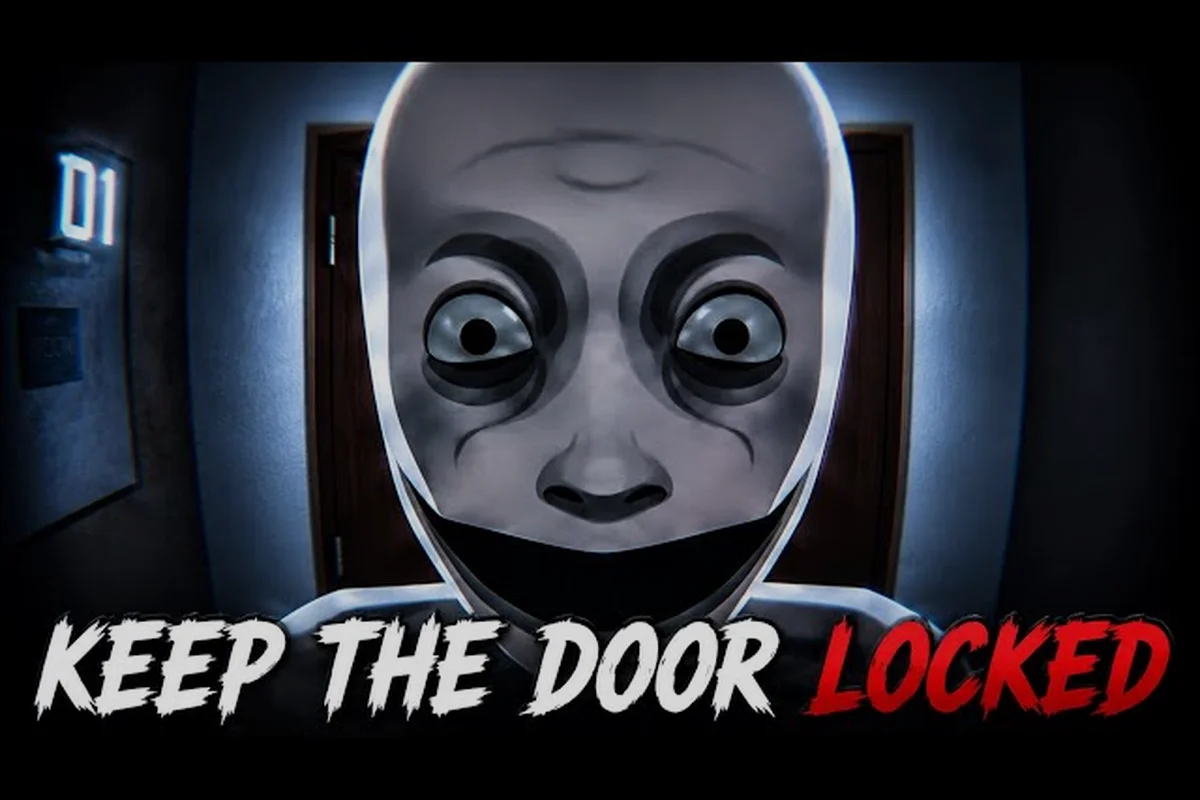
The Keep the Door Locked Roblox guide you are about to read breaks down every mechanic you need to survive the night shift at the anomaly-infested hotel. With over 4.3 million visits and 10K+ players online since its May 28, 2026 launch, this game has quickly become a staple for horror fans on the platform. One wrong decision at the door can end your run instantly, so understanding the camera system, visitor rules, and anomaly tells is not optional — it is the difference between seeing sunrise and becoming another missing-person report.
Core Survival Mechanics and Controls
The entire experience revolves around a single hotel room where you monitor the hallway through a security camera setup. Your tools are simple, but mastering them takes practice because each one serves a specific purpose during the night shift. For example, the door lock must be timed precisely against each knock, while the peephole check reveals which entity is approaching, forcing you to prioritize threats quickly.
The monitor system lets you cycle through multiple camera feeds covering the hallway, stairwell, and elevator lobby. You toggle between feeds using the on-screen interface, and each camera gives you a different angle on approaching visitors. The night vision toggle becomes your best friend when the lights flicker or the hallway goes dark, because anomalies often use darkness to hide visual inconsistencies.
The lock toggle on the door is your final line of defense, but it is not a simple binary switch. Some visitors require you to unlock the door before they will approach, while others will attempt to force entry regardless of whether you have engaged the lock. Knowing when to keep the door locked versus when to release it is the core strategic decision that defines every encounter.
Your spawn room layout places the monitor on a desk near the window, with the door directly across from you. This arrangement means you can glance between the camera feed and the physical door without moving, but it also means anomalies that appear in the room behind you will catch you off guard if you focus too long on the screen.
Understanding Visitor Types and Anomaly Patterns
Every knock at your door follows the same basic sequence, but the details determine whether you are dealing with a safe visitor or an anomaly. The first knock usually comes early in the night, often within the first few minutes of your shift, and how you handle it sets the tone for everything that follows.
Safe visitors follow logical stories that match the room and the situation. A guest claiming to be from Room 204 will reference details consistent with the hotel layout, and their requests will make sense given the time of night. They might ask for extra towels, report a noise complaint, or mention a specific staff member by name.
Anomalies, on the other hand, contradict themselves in subtle ways that become easier to spot with experience. A visitor might claim to be a maintenance worker but have no tools, or they might reference a room number that does not exist in the hotel. The camera feed is your primary tool for catching these inconsistencies, because the visual evidence often reveals what the voice does not.
| Visitor Type | Common Stories | Key Inconsistencies | Recommended Action |
|---|---|---|---|
| Safe Guest | Forgot key, needs towels, noise complaint | None — story matches hotel context | Unlock and assist |
| Maintenance Worker | Fixing AC, checking pipes, inspecting wiring | No tools, wrong uniform, vague room numbers | Keep locked, call front desk |
| Distressed Neighbor | Heard screaming, saw something strange | No specific details, overly aggressive knocking | Verify on camera first |
| Anomaly Mimic | Copies a previous visitor's voice | Repeats exact phrases, wrong timing | Keep locked, avoid eye contact |
| Staff Member | Claims to be hotel security or management | Wrong badge, unfamiliar with hotel layout | Check camera for uniform accuracy |
The hallway camera often reveals anomalies before they even reach your door. Some anomalies appear to glide rather than walk, while others flicker in and out of existence as they pass through the camera frame. If you notice a visitor moving in ways that defy normal human motion, keep the door locked and wait for them to leave.
Camera Monitoring Strategies for Each Knock
Your camera cycling routine needs to be deliberate rather than random, because each camera angle provides different information about approaching visitors. The hallway camera gives you the earliest warning, showing visitors as they exit the elevator or climb the stairs. The stairwell camera covers the secondary approach, which some anomalies use to bypass the main corridor. The elevator lobby camera reveals visitors before they commit to your hallway, giving you extra seconds to prepare.
When you hear a knock, your first action should always be to check the camera feed before touching the door. This rule is non-negotiable, because the lock toggle should never be engaged based on audio alone. Anomalies can mimic knocking sounds, and some will knock on walls or other doors to draw your attention away from the real threat.
Designing a Camera Rotation Routine
Start by checking the hallway camera first, since it provides the most direct view of approaching visitors. If the hallway is clear, cycle to the stairwell camera to check for secondary approaches. Finally, check the elevator lobby to see if anyone is waiting to enter your corridor.
This rotation takes about five seconds to complete, which is fast enough to respond to most knocks. However, you need to balance thoroughness with speed, because some anomalies will attempt to enter while you are cycling through feeds. The monitor shows a live feed, but it does not pause the game world, so you are vulnerable while checking cameras.
Night Vision Usage and Timing
The night vision toggle becomes essential when the hotel experiences power fluctuations, which happen at random intervals throughout the night. During these blackout periods, standard camera feeds become nearly useless, and anomalies take advantage of the darkness to approach undetected.
Night vision consumes battery power, and running it constantly will leave you without visibility later in the shift. Use night vision in short bursts — activate it when you hear a knock or notice movement, then deactivate it once you have confirmed the visitor's identity. This conservative approach ensures you have battery remaining for the late-night hours when anomaly activity increases.
| Camera Feed | Best Use | Common Anomaly Tells | Battery Drain |
|---|---|---|---|
| Hallway | Primary visitor identification | Gliding movement, flickering | Low |
| Stairwell | Secondary approach detection | Shadows without source | Medium |
| Elevator Lobby | Early warning system | Empty elevator opening | Medium |
| Room Interior | Self-monitoring | Objects moving on their own | High |
Decision Framework for Opening the Door
You should never open the door based on a single piece of information, because anomalies are designed to exploit predictable behavior. Instead, build a confirmation checklist that must be satisfied before you disengage the lock. This means cross-checking audio cues with visual flickers, and waiting through at least one full cycle of silence to avoid baiting. Veteran players often note that rushing this step is the most common cause of early deaths, especially during high-pressure events.
The first check is visual — does the visitor look human? Look for unnatural movement patterns, unusual proportions, or any visual distortion that suggests the entity is not a normal hotel guest. The second check is auditory — does their story make sense? A visitor who cannot explain why they are at your door at 2 AM is almost certainly an anomaly. The third check is contextual — does their request align with hotel operations? A guest asking for room service at 3 AM might be legitimate, but a maintenance worker without tools is suspicious.
If any check fails, keep the door locked and wait for the visitor to leave. Most anomalies will eventually abandon their attempt and move on, but some will become more aggressive the longer you make them wait. This patience test is risky, as certain entities like the Warden will escalate to pounding or even breaking the door if you stall too long, forcing you to balance caution against survival.
Handling Persistent Knockers
Some anomalies will knock repeatedly, sometimes for several minutes, trying to wear down your resolve. They might alternate between pleading and threatening, or they might mimic the voices of people you trust. Do not give in to pressure, because persistent knocking is almost always a sign of an anomaly.
Safe visitors typically knock once or twice, state their business, and wait patiently. If they receive no response, they usually leave within a minute. Anomalies, by contrast, will escalate their behavior — knocking harder, calling out your name, or attempting to force the door. This escalation is a reliable tell that you are dealing with a threat.
Recognizing False Safe Signals
The most dangerous anomalies are the ones that appear completely normal. They walk like humans, speak coherently, and tell stories that check out on the surface. The camera feed is your only way to catch these mimics, because they often reveal their true nature through subtle visual glitches.
Watch for slight pixelation around the edges of their form, unusual shadows that do not match their movement, or a brief flicker when they pass through the camera frame. These visual tells are easy to miss if you are only listening to their voice, which is why the keep the door locked roblox guide emphasizes camera-first decision-making.
Advanced Anomaly Spotting Techniques
Once you have mastered the basics, you can start recognizing the more subtle patterns that experienced players use to identify threats before they even knock. The elevator behavior is a strong indicator — anomalies often cause the elevator to arrive on your floor without anyone visible inside, or the doors open and close multiple times before a visitor emerges.
The lighting patterns in the hallway also provide clues. Anomalies frequently cause lights to flicker as they pass, and some will cast shadows that move independently of their bodies. If you notice a light flickering in a pattern that does not match the hotel's normal electrical behavior, an anomaly is likely nearby.
Sound cues are equally important. Anomalies often produce sounds that do not match their visual appearance — a heavy-footed visitor who makes no noise, or a soft-spoken guest whose footsteps echo like boots on concrete. These audio-visual mismatches are reliable indicators that you are dealing with something unnatural.
| Anomaly Type | Visual Tells | Audio Tells | Counter Strategy |
|---|---|---|---|
| Glider | Slides instead of walking | No footsteps at all | Keep locked until it passes |
| Mimic | Flickers between forms | Repeats phrases verbatim | Verify identity on camera |
| Shadow Walker | No reflection in mirrors | Footsteps echo oddly | Use night vision to confirm |
| Door Phaser | Passes through walls | Knocks from impossible angles | Lock door and monitor hallway |
| Voice Repeater | Normal appearance | Repeats your own words | Do not respond verbally |
The room interior camera is often overlooked, but it is crucial for detecting anomalies that have already entered your space. Some entities can bypass the door entirely, appearing directly in your room without triggering a knock. Checking this camera periodically ensures you are not caught off guard by an anomaly that has already breached your defenses.
Night Progression and Difficulty Scaling
The night shift follows a predictable difficulty curve, with the early hours being relatively calm and the later hours becoming increasingly dangerous. Understanding this progression helps you allocate your attention and resources appropriately, as players often use the quiet start to stockpile batteries and repair doors before the threat level spikes. This foresight is crucial, since the sudden surge in activity after midnight can overwhelm those who haven't prepared.
The first two hours typically feature simple visitors and basic anomalies that are easy to spot. This is the time to establish your camera rotation routine and get comfortable with the controls. The middle hours introduce more complex anomaly patterns, including mimics and shadow walkers that require careful observation to identify. The final hours are the most dangerous, with multiple anomalies often appearing in quick succession and some attempting to enter through alternate routes.
Battery management becomes critical in the later hours, because you will need night vision more frequently as the hotel's power becomes less reliable. If you have been conservative with battery usage early in the shift, you will have plenty of reserve for the final stretch.
Resource Management Throughout the Shift
Your battery level is the only limited resource you need to manage, since the monitor, night vision, and door lock all draw from the same power source. The door lock itself consumes minimal power, but the monitor and night vision drain battery at different rates.
The monitor consumes moderate power when active, and the night vision consumes high power when engaged. Leaving the monitor on continuously will drain your battery by the middle of the night, so you should only activate it when you hear a knock or suspect activity. For a more detailed breakdown of the early game, check our Keep the Door Locked how to start guide which covers the first hour in depth.
Late-Night Anomaly Waves
The final two hours of the shift introduce what players call "anomaly waves," where multiple entities appear in rapid succession. These waves test everything you have learned, because you must quickly identify each visitor while managing your remaining battery and maintaining your camera rotation.
During anomaly waves, you should prioritize the hallway camera and keep the door locked unless you are absolutely certain a visitor is safe. The cost of opening the door to an anomaly is immediate death, while the cost of keeping the door locked to a safe visitor is simply a missed interaction.
Frequently Asked Questions
What is the best strategy for the first knock?
Check the hallway camera immediately, then cycle to the stairwell and elevator feeds before making any decision. The first knock is almost always a test — safe visitors will wait patiently, while anomalies will show subtle visual tells on camera. When in doubt, keep the door locked and wait for the visitor to leave.
How do I spot an anomaly on the camera?
Look for unnatural movement patterns like gliding or flickering, visual inconsistencies such as pixelation or wrong shadows, and audio mismatches where the sound does not match the visual. Night vision can reveal additional tells that are invisible in standard lighting, so toggle it on if you suspect something is off.
Can I survive the night without using night vision?
Yes, but it is significantly harder. Night vision helps you spot anomalies during power outages and in dark hallway sections. If you conserve battery by only using the monitor when necessary, you can keep night vision available for the critical late-night hours when anomaly activity peaks.
What happens if I open the door to an anomaly?
Opening the door to an anomaly results in an immediate game over, ending your run. There is no second chance or escape mechanic — the anomaly will kill you on sight. This is why the keep the door locked walkthrough emphasizes camera verification before every door interaction.
Are there multiple endings in Keep the Door Locked?
Yes, the game has multiple endings tied to how many safe visitors you help and anomalies you reject. Helping more safe visitors unlocks better outcomes, while mistakes lock you into worse ones. For full requirements, check the complete walkthrough guide.